Email Notifications
Choose which HobbySwap updates you receive by email.
STEP 01
Manage email notifications
Decide which emails you want to receive. You can get emails about:
- Tap Profile in the bottom bar, then tap Email Notifications.
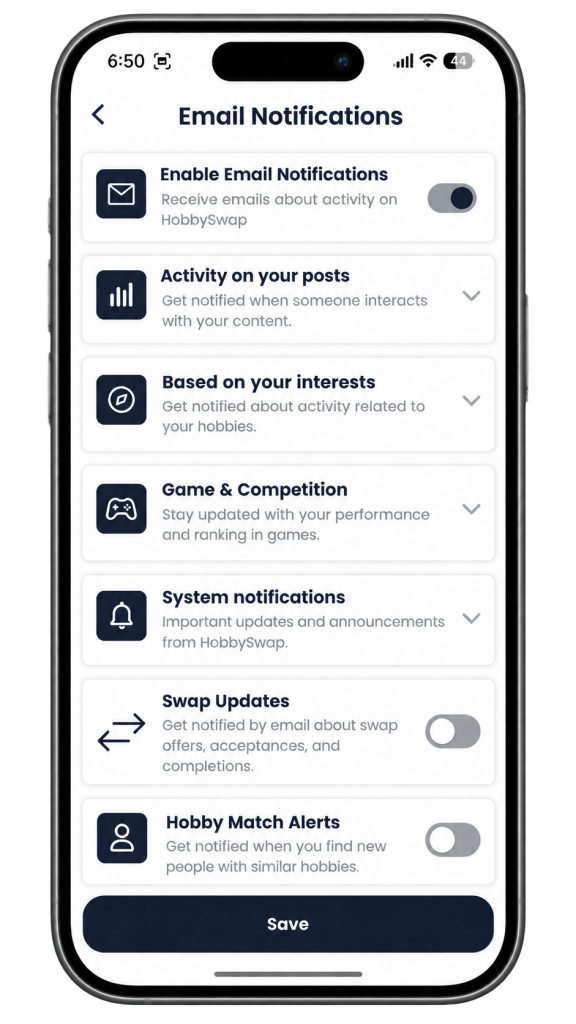
- Turn on Enable Email Notifications to receive emails about activity on HobbySwap.
- Tap a category to see its options and choose the emails you want.
- Turn on Swap Updates to get emails about swap offers, acceptances and completions.
- Turn on Hobby Match Alerts to get emails about new people with similar hobbies.
- Tap Save to keep your changes.