Profile & Badges
Manage your profile and earn badges.
STEP 01
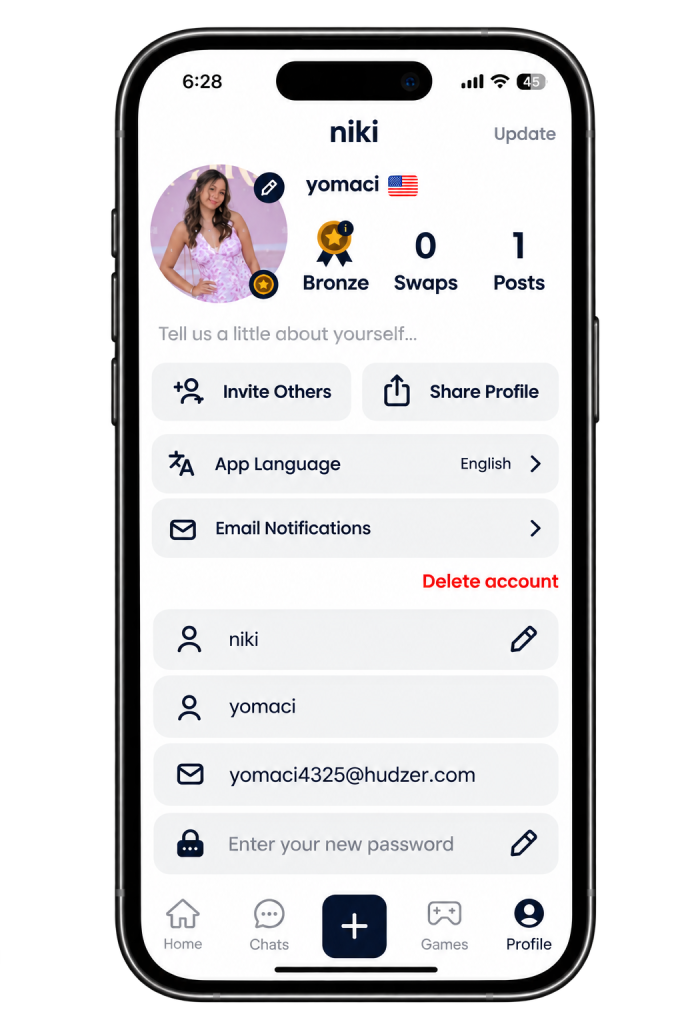
Your profile
See your badge, swaps and posts at a glance, and keep your details up to date.
- Tap Profile in the bottom bar.
- At the top you'll see your current badge and how many swaps and posts you have.
- Tap the pencil icon on your photo to change it, and add a short bio about yourself.
- Tap Invite Others to invite friends, or Share Profile to share your profile.
STEP 02
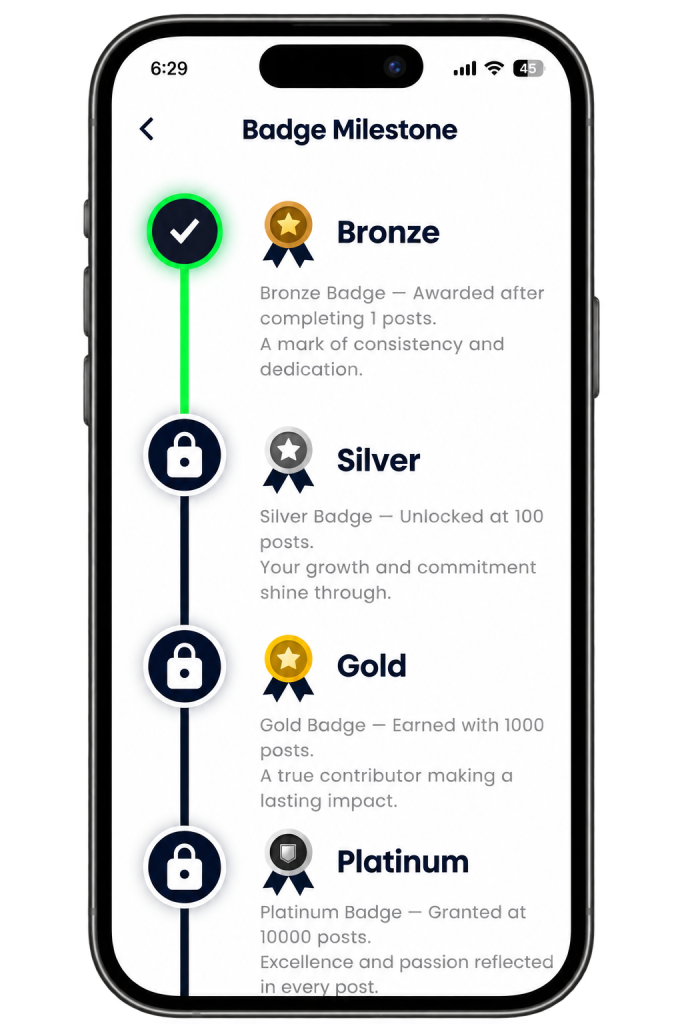
Earn badges
Earn badges as you share posts. Each badge unlocks at a set number of posts:
- Tap your badge on your profile to open Badge Milestone.
- Badges you've earned are ticked. Locked badges show a padlock until you reach them.
Keep sharing posts to unlock your next badge.