Chats & Swap Offers
Send swap offers and chat with people to plan your hobby swaps.
STEP 01
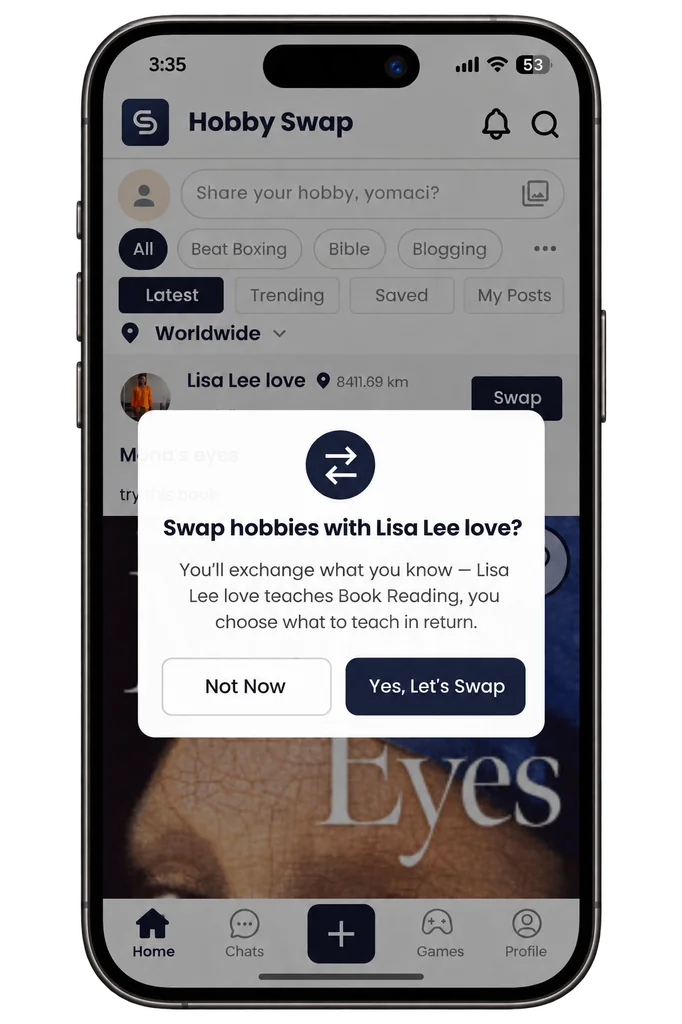
Start a swap
Found a post you like? Start a hobby swap with the post owner right from the feed.
- Tap Swap on the post.
- A pop-up shows the hobby the post owner will teach you and asks you to confirm.
- Tap Yes, Let's Swap to continue.
STEP 02
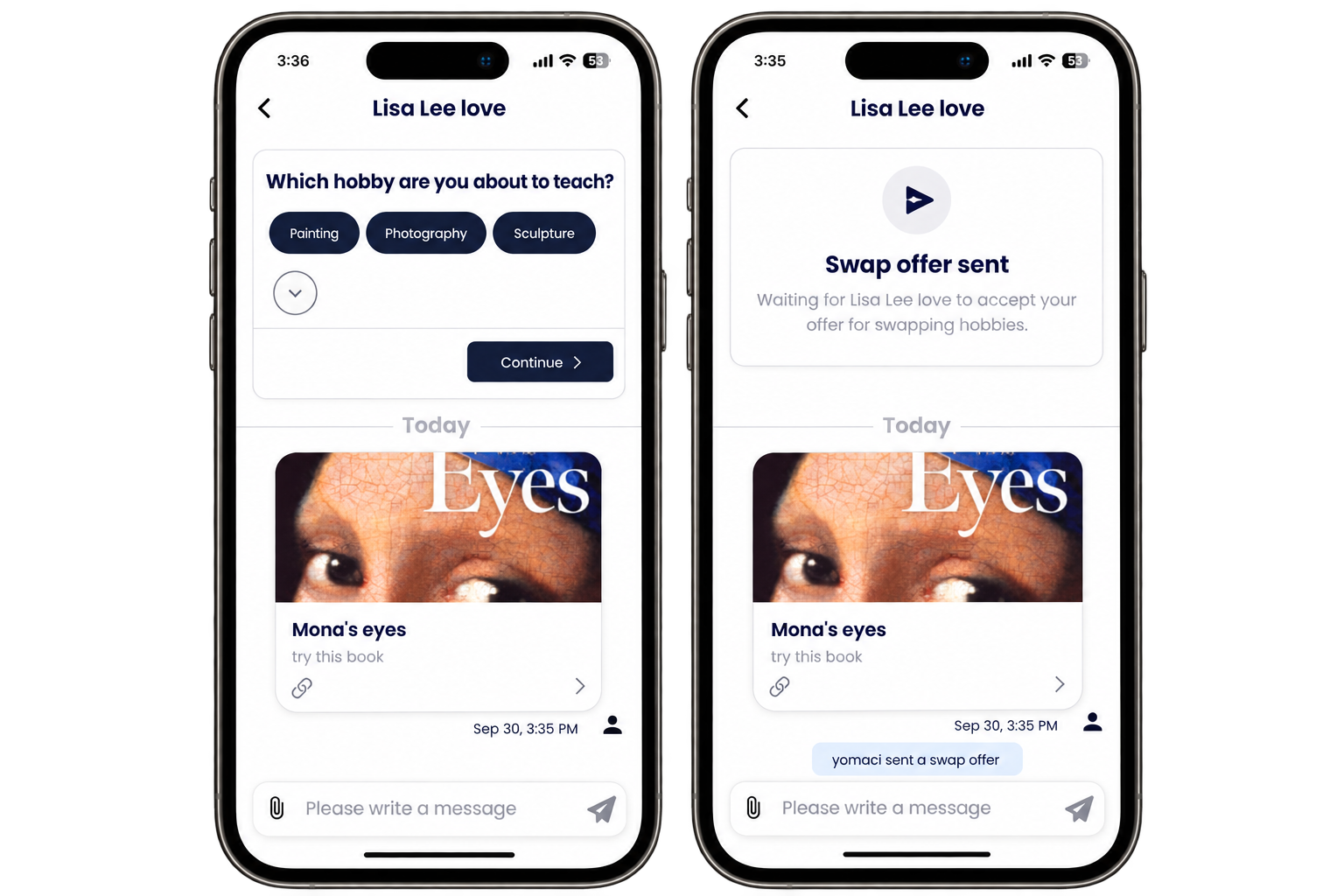
Send a swap offer
Choose what you'll teach in exchange and send your offer to the post owner.
- A chat with the post owner opens, with the post shared.
- Choose the hobby you'll teach in return, then tap Continue.
- Your swap offer is sent. You'll see it in the chat while you wait for the other person to accept.
- Keep chatting to plan your swap. Open Chats in the bottom bar to see all your conversations.
Meet in public places when you swap in person.